
Barony Multiplayer: Ultimate Guide for 15-Player Co-op Adventures
Master Barony multiplayer with tips, mods, and community insights for epic 15-player co-op gameplay.
Independent fan-made guide. Not affiliated with Turning Wheel LLC.
Quick Guide
- Step 1Confirm play mode and platform support before organizing a group.
- Step 2Coordinate classes, resources, and recovery plans before entering a run.
- Step 3Use communication tools so traps, loot, and retreats are shared decisions.
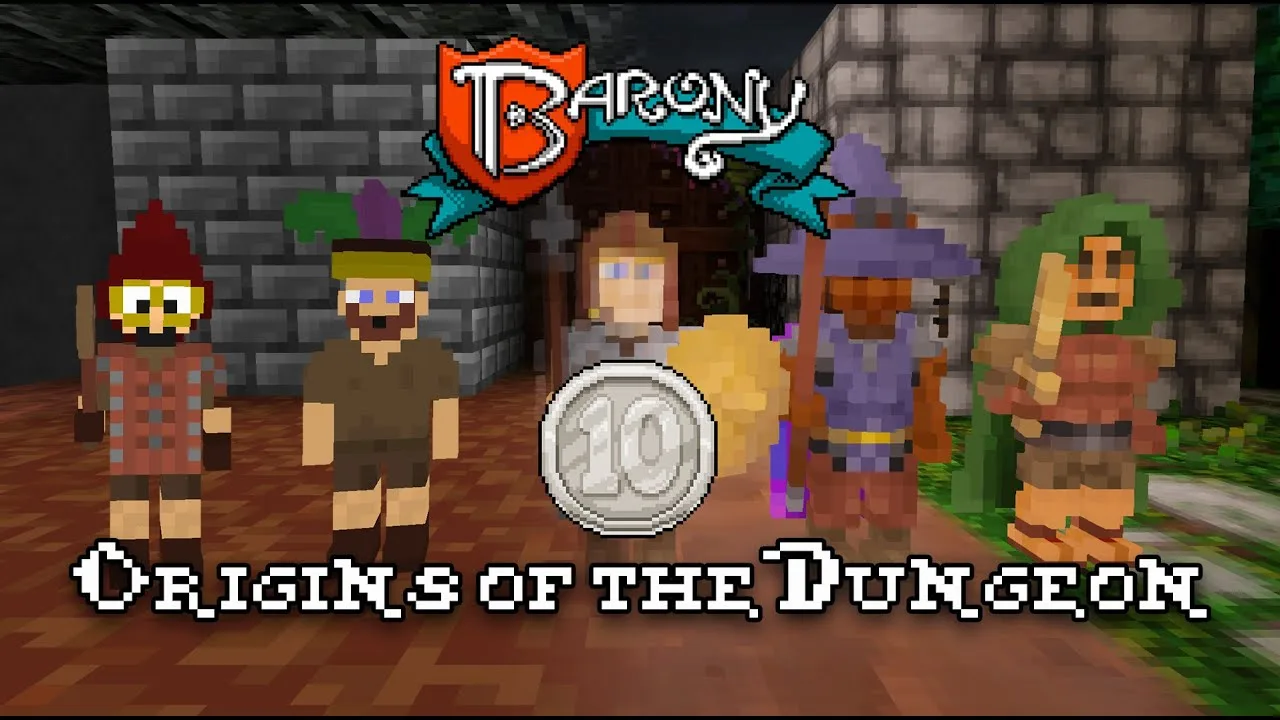
Barony multiplayer isn’t just about surviving dungeon crawls—it’s about building unforgettable chaos with friends. Whether you're dodging boulders, debating teleport potions, or laughing through a failed spell cast, the true magic lies in shared moments. With the Barony multiplayer mod expanding support to 15 players, the game transforms from a tense solo experience into a vibrant, unpredictable social adventure. But unlocking this full potential requires more than just inviting friends—it demands preparation, coordination, and a solid grasp of how the system works.
Community reports highlight that many players initially struggle with connectivity issues, especially when only one person installs the mod. The key takeaway? Everyone must use the same version and follow identical setup steps. Otherwise, lobbies crash, joins fail, or players vanish mid-dungeon. This isn’t just a technical hurdle—it’s the difference between epic co-op and frustrating disconnections.
The real power of Barony multiplayer shines not in its mechanics alone, but in the culture it fosters. From naming pets after inside jokes (“Mingus” anyone?) to reenacting absurd scenarios like the “Glasgow Willy Wonka” hoax, the game thrives on player-driven humor and improvisation. These aren’t glitches—they’re features of a living, breathing multiplayer world where every death, misfire, and accidental teleport becomes part of the story.
How to Set Up Barony Multiplayer for 15 Players
Setting up Barony multiplayer for 15 players is a meticulous process—but once done, it unlocks a level of cooperative chaos few games can match. The official mod, Barony 15 Player, created by Brendan Fraser and refined by sideduck, is your gateway. However, installing it correctly is non-negotiable. Here’s a step-by-step breakdown based on verified community feedback:
| Step | Action | Why It Matters |
|---|---|---|
| 1 | Close Steam and Barony completely | Prevents file conflicts during installation |
| 2 | Download mod files from Workshop or GitHub | Ensure compatibility across platforms |
| 3 | Copy original Barony folder to a new location (e.g., Barony-15p) | Keeps original install untouched; avoids corruption |
| 4 | Extract mod package and copy files into the new folder | Replaces core executables and libraries |
| 5 | Replace existing files when prompted | Ensures mod functionality |
| 6 | Launch the modded executable from the copied folder | Using the wrong file causes “only 4 players visible” errors |
🔔 Pro Tip: Always verify that every player has completed these steps. A single mismatched version can break the entire session.
Once launched, the host must configure the lobby settings:
- Open Game Settings in the lobby
- Set # Players to your desired number (up to 15)
- Recreate the lobby after changing player count
If you’re playing over LAN or online, use the page arrows on the far left and right of the lobby screen to view all available slots—especially critical when managing 10+ players.
| Platform | Mod Availability | Known Issues |
|---|---|---|
| Windows | ✅ Full support | Audio issues reported (see below) |
| macOS | ⚠️ Only v5.0.2 for Windows; Mac version lagging | Users report needing updates |
| Linux | ⚠️ Requires Proton Experimental workaround | Complex setup; community guides exist |
For Linux users, a detailed guide from user CaptainNitwit outlines how to force Proton Experimental, copy the game folder, and create a non-Steam shortcut—ensuring the mod runs smoothly even outside Steam’s native environment.
One recurring issue highlighted in player forums is audio failure when launching the modded executable. According to Brendan Fraser, this is a known bug affecting some systems. If you encounter silence, try adding PROTON_LOG=1 %command% as launch arguments. This generates logs that can help identify the root cause—often related to audio drivers or Proton compatibility.
Mastering the 15-Player Dynamic: Tips from Real Play Sessions
While Barony multiplayer supports up to 15 players, the gameplay dynamics shift dramatically beyond four. Community experiences reveal that the game maintains vanilla balance for 1–4 players but adjusts resource generation, enemy spawns, and loot distribution for larger groups. This means what worked in a small squad may fail in a massive raid.
Here’s how to adapt:
1. Role Specialization Is Non-Negotiable
With 15 players, chaos reigns unless roles are clearly defined. Based on player sessions, effective teams assign:
- Healers (one per 4–5 players)
- Shield Bearers (for tanking damage)
- Spell Casters (to control crowds)
- Loot Collectors (to manage inventory and drop zones)
Without structure, items get lost, healing fails, and everyone dies trying to grab the same potion.
2. Use the “Spaff Hole” Wisely
In multiple playthroughs, players discovered a hidden mechanic: dropping gear down a large hole labeled “spaff hole.” This acts as a shared trash bin, reducing clutter and preventing duplicate items. When used strategically, it helps maintain order during intense fights.
3. Avoid Item Conflicts
Players often argue over who gets the Flawless Amulet of Strangulation—or worse, accidentally equip cursed items. One session ended with a player dying instantly because they didn’t read the item description. Always check tooltips before using anything.
| Item | Use Case | Risk Level |
|---|---|---|
| Healing Book | Essential for group survival | Low |
| Teleport Scroll | Escape danger or reposition quickly | Medium (random spawn) |
| Poison Resistance Amulet | Vital in later dungeons | High (rare drop) |
| Cream Pie | Comedy weapon (no damage) | N/A (fun only) |
💡 Insider Tip: Some players jokingly refer to the “yum yum” label on an item as a meme. While harmless, it underscores the importance of reading everything—even if it looks silly.
4. Leverage Positional Voice Chat
A recent update introduced proximity voice chat via Mumble plugin, developed by community member Piplup. This replaces forced Discord calls, allowing players to hear each other only when close in-game. In one session, someone burped—everyone heard it. Chaos ensued. But it also meant better communication during ambushes.
This feature turns Barony multiplayer into a truly immersive experience. You don’t just see your friend die—you hear them scream.
Troubleshooting Common Barony Multiplayer Issues
Even with perfect setup, problems arise. Based on 116+ comments in the Steam Workshop thread, here are the most common issues—and proven fixes:
| Issue | Likely Cause | Solution |
|---|---|---|
| Can't find players above slot 4 | Wrong executable launched | Use modded folder’s .exe |
| Join rejected / lobby full | Mixed versions or outdated mod | All players must match build/version |
| Items not dropped after death | Glitch in save/load system | Host loads save first; avoid mid-session saves |
| No audio in modded version | Proton/Steam audio conflict | Add PROTON_LOG=1 %command% |
| Death box drops items but clothes appear unequipped | Bug in inventory sync | Report via Steam Workshop with logs |
🛠️ Advanced Fix for Linux Users: As shown by CaptainNitwit, forcing Proton Experimental on both the original and modded versions ensures compatibility. This method bypasses Steam’s automatic updates that overwrite mod files.
Another persistent glitch involves loot persistence. Some players reported that after dying, their gear remained equipped—even though the death box dropped items. This was confirmed by multiple users and acknowledged by the mod creator. It’s considered a “weird unforeseen glitch,” but reporting it with reproduction steps helps developers prioritize fixes.
Why Barony Multiplayer Stands Out in Co-op Gaming
What sets Barony multiplayer apart isn’t just its 15-player capacity—it’s the blend of dark humor, emergent storytelling, and intentional design flaws that become features. Unlike polished AAA titles, Barony thrives on imperfection. That cursed amulet? It’s hilarious. The random teleport? A plot twist. The fact that you might eat a tin opener? Part of the charm.
The game’s strength lies in its ability to turn mistakes into memories. Whether it’s a skeleton named “Bona” being repeatedly killed, or a character named “Bone Burnham” sparking endless puns, the multiplayer experience is shaped by the players—not the script.
Moreover, the modding community remains active. Despite challenges with macOS and Linux support, developers continue updating the mod. The latest version, 5.0.2, includes improved join handling and overflow tuning—proving that Barony multiplayer is evolving.
For those seeking deeper immersion, tools like Nucleus Coop allow local 15-player splitscreen play, though this is capped at four players locally. Still, it’s a powerful option for friends gathering around one screen.
📌 Official Source: For the latest updates and bug reports, visit the Barony Multiplayer Workshop Page — the central hub for all community-driven improvements.
FAQs About Barony Multiplayer
Q: Can I play Barony multiplayer with friends on different platforms? A: Not reliably. While the mod exists for Windows, macOS, and Linux, version mismatches cause crashes. All players must use the same build and platform-specific version. Cross-platform play is currently unsupported.
Q: How do I fix the “no audio” issue in the modded Barony?
A: Add PROTON_LOG=1 %command% as launch arguments. This generates a log file that can pinpoint audio driver or Proton issues. Many users have resolved the problem using this method.
Q: What happens if someone dies in a 15-player game? A: According to community reports, players keep their levels and gear upon death. However, some note that items may appear unequipped despite being in inventory—a known glitch under investigation.
Q: Is there a way to play Barony multiplayer offline? A: Yes—using LAN mode or Nucleus Coop for local play. The mod supports offline co-op, but all players must still install the same version and follow the manual setup steps.
Related Guides
Co Op: The Ultimate Guide to Cooperative Chaos & Survival
Master co-op gameplay with tips, classes, and community insights for the ultimate dungeon adventure.
Crossplay: Play With Friends Across Any Platform Today
Unlock seamless multiplayer fun with crossplay. Join friends on Switch, PC, or Mac in real-time dungeon raids.
Max Players: Ultimate Guide for 1-15 Player Multiplayer
Master 's max players with expert tips, class rankings, and multiplayer setup guide for 1-15 players.
Switch Guide: Platform Details, Co-Op Expectations, and Buying Tips
Check Switch basics, Nintendo store details, co-op expectations, and what to verify before buying.